For any direct-to-consumer (D2C) brand in India today, reaching customers directly is the main goal. Google Shopping ads are a fantastic tool for this, placing your products right in front of people who are actively searching for them. But a proper google shopping ads setup for d2c brands is not just about running ads; it's about building a direct, profitable sales channel. Getting it wrong can lead to wasted spend, while getting it right can transform your business. This checklist will guide you through the essential steps.
Before You Advertise: Your Google Merchant Center Checklist
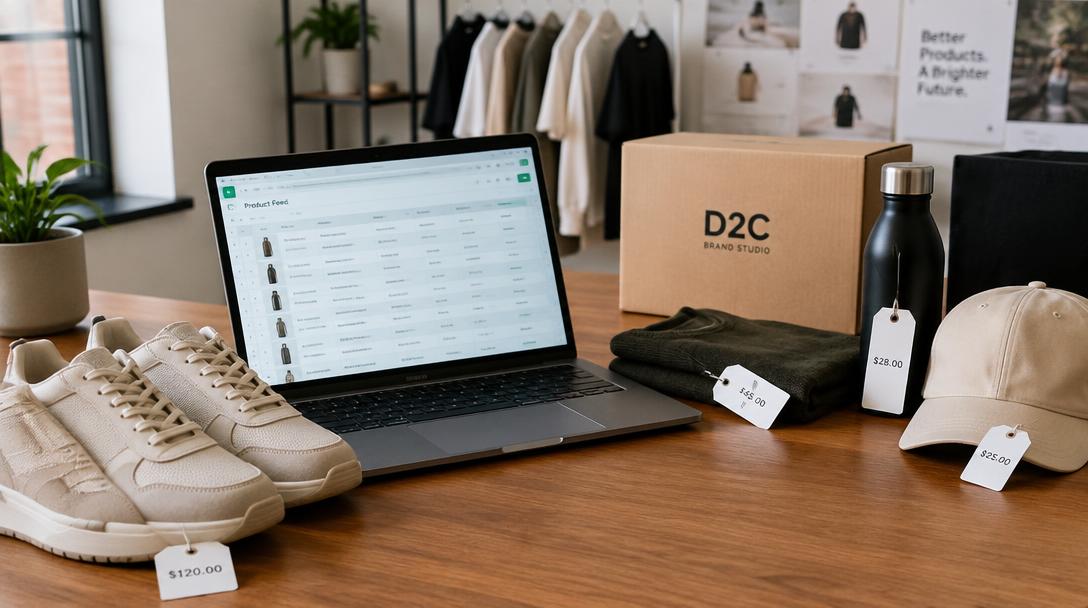
Your Google Shopping journey starts not in Google Ads, but in Google Merchant Center (GMC). This is the hub where you upload your product information. A clean, detailed product feed is the foundation of a successful campaign.
Think of it as your digital product catalogue. Get these details right to avoid common issues and ad disapprovals:
- Product Titles: Make them clear and descriptive. Include brand, product type, and key features.
- High-Quality Images: Use clear, professional images on a white background. This is your product's first impression.
- Accurate Information: Ensure your price, stock status, and other details in the feed match your website exactly.
- Product Identifiers: Include GTINs (like UPCs or EANs) whenever available. This helps Google understand exactly what you're selling.
A well-maintained feed is non-negotiable. As a Google Partner agency, we often see that fixing the product feed is the first step to improving campaign performance.
Standard Shopping vs. Performance Max: What's Right for Your D2C Brand?
Once your feed is ready, you need to choose how you'll run your ads. You have two main options for your D2C brand:
1. Standard Shopping Campaigns: These offer you more manual control. You can set bids for specific product groups and, importantly, use negative keywords to stop your ads from showing for irrelevant searches. They are a good starting point to gather data.
2. Performance Max (P.Max) Campaigns: This is Google's all-in-one, automated campaign type. It uses machine learning to run your ads across all of Google's channels — Search, YouTube, Display, Discover, Gmail, and Maps — from a single campaign. While very powerful for reaching more customers, P.Max requires strong conversion tracking and high-quality creative assets (images, videos, and text) to work effectively.
Choosing the right campaign is a crucial part of our Google Ads management strategy. We analyse your specific business goals to recommend the approach that will work best for you.
The Technical Side of Google Shopping Ads Setup for D2C
This is where many businesses get stuck. A successful shopping campaign relies on accurate data. Without it, you are flying blind and Google's automated systems cannot optimise for your goals.
Here are the technical must-haves:
- Conversion Tracking: You must track sales and their value. This is done by placing a Google Ads tag on your website, usually through Google Tag Manager.
- GA4 and Enhanced Conversions: Linking Google Analytics 4 (GA4) gives you deeper insights. Setting up Enhanced Conversions helps Google track sales more accurately, even when cookies aren't available.
- Remarketing Lists: You should set up audiences to retarget visitors who viewed products, added items to their cart, or started the checkout process. Bringing these potential customers back is key to maximising sales.
These technical steps are critical. A small mistake here can make your entire advertising effort ineffective.
Beyond Setup: How to Optimise Your Shopping Campaigns
Launching your campaign is just the beginning. The real work is in the ongoing optimisation to ensure you are getting a positive return on your ad spend (ROAS). You cannot just 'set it and forget it'.
Key areas for regular optimisation include:
- Search Term Reports & Negative Keywords: In Standard Shopping, you must regularly check what search terms triggered your ads. Add any irrelevant terms as negative keywords to stop wasting money on useless clicks.
- Bidding Strategy: Smart Bidding strategies like Target ROAS use Google's AI to bid for conversions. But they need enough conversion data to work well. Start with a simpler strategy if you're new, then graduate to Target ROAS once you have consistent sales data.
- Landing Page Experience: Your ads can be perfect, but if your product page is slow, confusing, or has a difficult checkout process, you will lose the sale. This is where landing page optimisation becomes very important.
Why Partner with a Google Partner Agency?
As you can see, a proper google shopping ads setup for d2c has many moving parts. It's more than just clicking 'boost'. Working with an expert team can save you time and prevent costly mistakes.
Aspire Ads is an official Google Partner agency. This means our team members are certified by Google, we meet strict performance and service standards, and we have dedicated support from Google. This status is a verifiable mark of our expertise in managing effective ad campaigns.
We have experience helping businesses across India, including in Delhi NCR, Gurgaon, and Noida, in sectors ranging from D2C and e-commerce to lead generation for real estate and doctors. Our complete Google Ads services cover everything from initial setup and audit to ongoing optimisation and scaling.
The investment required depends on your business goals and the scope of work. We can discuss this and create a free, no-obligation plan for you. Let's talk about how we can help you grow your D2C brand.
FAQs: Google shopping ads setup for d2c
What is the main difference between Google Shopping and Search ads?
The main difference is visual. Google Search ads are text-based ads that you see in the search results. Google Shopping ads are product listings that show up with an image, title, price, and your brand name. They are highly visual and appear at the top or side of the search results, making them very effective for e-commerce and D2C brands.
How much does it cost to run Google Shopping ads?
The cost for running Google Shopping ads isn't fixed. It depends entirely on your industry, product competition, and business goals. At Aspire Ads, we don't use one-size-fits-all packages. We invite you to have a chat with us so we can understand your needs and create a free, customised plan just for you.
How long does it take to see results from Google Shopping ads?
You can start getting traffic and data within a few days of your campaign launching. However, achieving consistent and profitable results takes time. The first few weeks are about gathering data. After that, the real work of optimisation begins to improve performance and get you a better return on your investment month after month.
People also search for
- how to set up google shopping ads for an indian d2c brand
- what product details are required in a google shopping feed
- how do i verify my store in google merchant center
- how to add indian shipping settings in merchant center
- why are my products disapproved before launching shopping ads
Related topics