
A practical guide to meta generative ai ad creative review for businesses advertising on Facebook and Instagram. Feature availability changes, and automated enhancements are not all the same operation. This article separates platform facts from diagnostic recommendations and focuses on verified customer outcomes rather than promises of cheap clicks or guaranteed returns.
Know which enhancement is actually enabled
Meta has announced generative tools for creative tasks such as backgrounds and image variations. Feature availability changes, and automated enhancements are not all the same operation. Inspect the toggles and previews available in your account. A background change, image expansion and generated text each introduce different risks; approve them individually rather than approving AI as one undifferentiated setting.
Protect the product and the promise
Compare every variation with the actual item. Check colour, shape, package size, included accessories and visible use conditions. Reject imagery that invents a certification, adds a testimonial, changes the product or implies an unsupported result. For services, avoid generated visuals that suggest offices, employees or customer projects you cannot substantiate. Human review remains necessary even when a platform accepts the file.
Keep an approval and measurement record
Save the source asset, reviewed variation and business approval so the team knows what was intended. Use available reporting carefully: not every enhancement has a fully separable result. Do not claim one generated background caused a lift unless the test design supports that conclusion. Preserve a route to disable unsuitable enhancements and replace incorrect creative promptly.
A product accuracy check
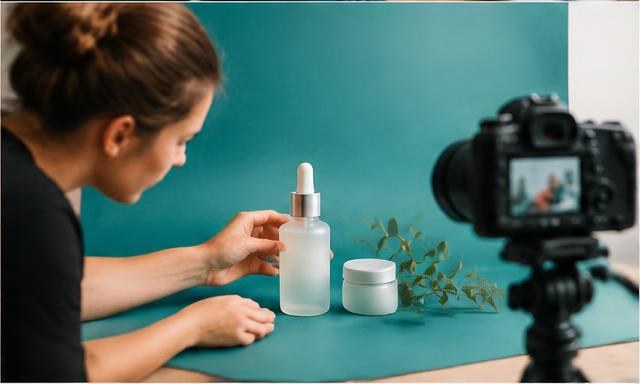
For a skincare bottle, compare the generated background with the real pack and reject any added medical wording or altered label. A beautiful image is not acceptable if the shopper receives something materially different. Evaluate approved creative against completed orders and complaints, not simply its visual appeal.
A practical review checklist
- Know which enhancement is actually enabled: Meta has announced generative tools for creative tasks such as backgrounds and image variations.
- Protect the product and the promise: Compare every variation with the actual item.
- Keep an approval and measurement record: Save the source asset, reviewed variation and business approval so the team knows what was intended.
Official reference and interpretation
Read Meta: generative AI advertising transparency and safeguards for the platform context. The diagnostic steps and examples in this guide are practical recommendations, not Meta performance guarantees. Availability, labels and eligible controls can change; verify the options in your own account before applying a change.
Plan your next Meta Ads review
Explore our Meta Ads management service for a review of your objective, measurement and creative plan. Use the Meta Ads creative testing workbook to organise approved concepts, or continue with Meta’s Latest Small-Business AI Research: Turn Adoption Trends into a Measured Ads Plan. For quotation questions, see our costs and scope FAQ; costs depend on scope, so talk to us for a free plan.
FAQs: Meta generative ai ad creative review
Can we leave all AI enhancements on without reviewing them?
No. Review each enabled enhancement for brand accuracy, product fidelity and supported claims.
Are Meta’s AI tools a substitute for real product evidence?
No. They can assist production but cannot create a genuine customer result, certification or product feature.
Can Aspire Ads review this for our business?
Yes. Contact our team to discuss your objective, current measurement and approved creative. We can agree a scope-led Meta Ads review without promising a fixed performance result.
People also search for
- brand safety checklist for advantage plus creative
Related topics